Concept and ergonomics
Check proportions, grip and placement before locking down the design.
Site under construction. Some functionality may not work as expected or be available. Questions? Contact support@perea3d.com

Test before production
Physical prototypes for fit, function and design validation, from early concept to production-like test part.
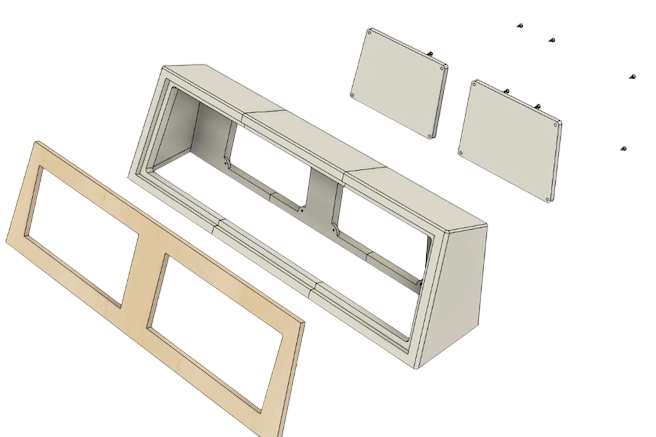
A useful prototype answers a specific question. Early models can check size and ergonomics; later versions may validate assembly, loading or finish. Matching process and material to each iteration prevents spending on qualities that are not needed yet.
Check proportions, grip and placement before locking down the design.
Test interfaces, hole patterns, clips and clearance against neighbouring components.
Evaluate movement, loading or appearance with a more production-like model.
A prototype rarely needs to replicate the final product in every respect. Focusing on one or two risks per iteration makes development faster and results easier to interpret.
Tell us which parts interface, which dimensions are critical and how the test will be conducted. We can then choose an appropriate material level and avoid unnecessary finishing in early stages.
We clarify what the prototype must validate and the accuracy it needs.
The model is printed for practical testing of the chosen questions.
Findings feed back into the CAD model for another iteration or production.
Most important is the decision the prototype needs to help you make.
Not always. A shape or fit model can use a simpler material. Functional testing should, however, reflect relevant properties such as stiffness, toughness or heat resistance.
Yes. We can flag wall thickness, fits, orientation, support surfaces and features that may be difficult to print.
It depends on complexity and what has already been validated. We suggest a limited test objective for each version so that findings are actionable.
SLA often provides finer features and smoother surfaces. FDM may be better for larger models or when functional feedback matters more than cosmetic finish.
Yes, if the load case, test level and safety margin are understood. A printed prototype does not automatically validate a final production process.
Share the model and test objective and we will suggest an effective first iteration.
Request a quote